For events
Registrations that stop at the right number
The hard part of event registration is not collecting names, it is what happens at capacity. TinyForms counts places as they go, keeps a waiting list in order behind them, and takes payment during registration so nobody holds a seat they never paid for.
Where event sign-ups break
Almost always at the edges rather than the middle.
Overbooking, then apologising
A form with no cap keeps accepting registrations after the room is full, and someone has to write to the last twenty people.
Waiting lists kept in a separate message thread
The moment a place frees up, nobody is sure who was next.
Paying afterwards, or not at all
Registration and payment happen days apart, so no-shows cost real money.
An international audience, a single-language form
A conference or festival that draws people from across the border sends them a form only some of them can read.
What TinyForms does about it
Capacity, waiting list and payment are settings, not a process you run by hand.
A cap that actually holds
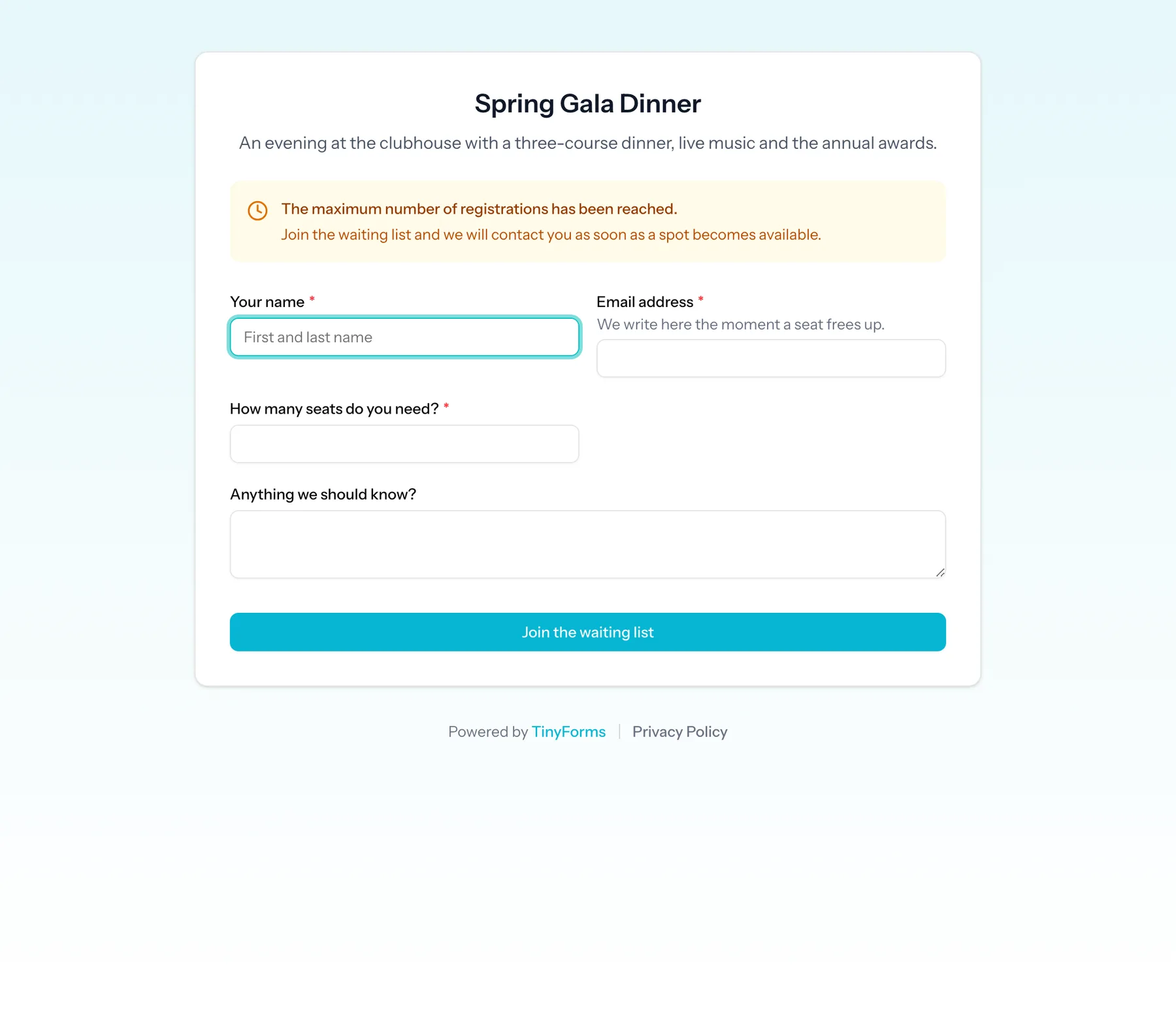
Set a maximum number of submissions and an opening and closing date. Once the cap is reached the form stops accepting regular registrations and shows the message you wrote.
A waiting list behind the cap
Registrations after the cap become waiting-list entries in the order they arrived, with their own limit, their own closing date and, if you want, a shorter set of questions.
Ticket types with their own prices and limits
Standard, student and supporter tickets can each carry an amount and a number of places, with a "places left" counter next to them.
Paid at the moment of registering
The total is charged through your own Mollie or Stripe account as part of the registration, and the payment status is recorded on the submission. Available on Pro and Business.
The language your attendees read
Registration forms and their confirmation emails run in English, Dutch, French and German.
A live attendee list
Sync registrations to Google Sheets or Excel Online so the door list, the caterer's numbers and the badge print all read from the same sheet. Available on Pro and Business.
What organisers build with it
From a members' evening to a paid conference.
Paid conference registration
Ticket types with prices and capacity, optional workshops with their own limited places, dietary requirements and an invoice reference.
Free event with limited seats
A capped registration with a waiting list, so the seats fill once and the queue behind them stays in order.
Workshop series
One form with a session choice, each session limited separately and showing how many places remain.
Volunteer and crew sign-up
Shifts as limited options, with conditional questions that only appear for the roles that need them.
Opening registrations
- 1
Copy the event template
It has ticket types with prices and limits, optional extras and the consent field already set up.
- 2
Set capacity and dates
Choose the maximum number of registrations, when the form opens and closes, and whether a waiting list runs behind it.
- 3
Connect Mollie or Stripe for paid tickets
Add your own API key in the workspace payment settings so ticket money arrives directly with you.
- 4
Publish and watch the counter
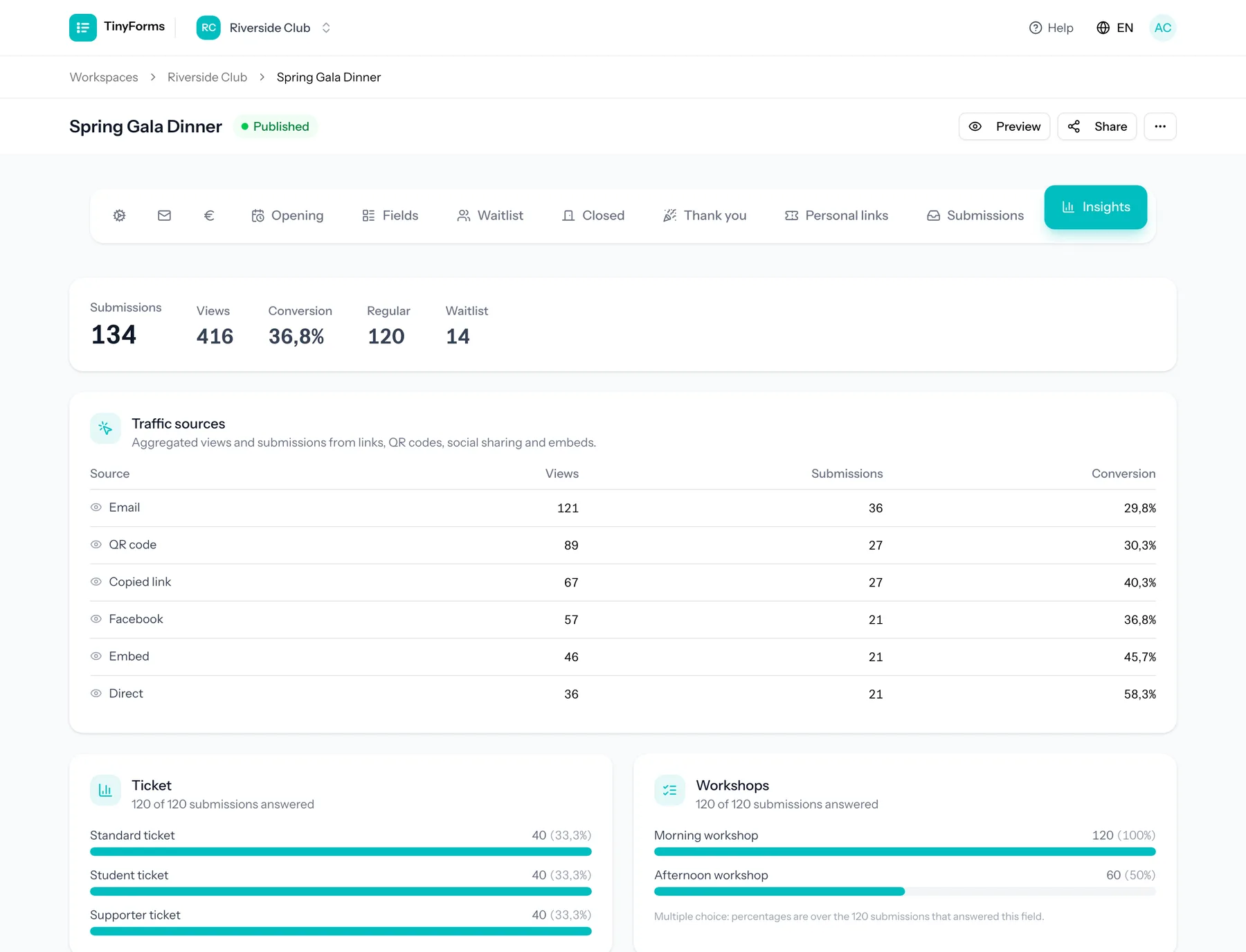
Attendees see how many places are left, and you see registrations and payments as they happen.
Questions organisers ask
- What happens when the event is full?
- Once the maximum is reached the form switches to its waiting-list mode if you enabled one, and otherwise shows your closed message. Waiting-list entries are marked as such so you can see who is in the queue.
- Can the waiting list ask fewer questions?
- Yes. A waiting list can have its own set of fields, so people in the queue only leave what you need to contact them.
- Can I limit individual ticket types as well as the event?
- Yes. Each option of a choice field can carry its own limit, with an optional counter showing the places left, on top of the cap for the form as a whole.
- Do attendees get a confirmation?
- Yes. The submitter confirmation email sends them their own answers, and you can write your own subject and introduction. It is available on every plan.
- Is there protection against bot registrations?
- Yes. Every form has a time-trap that drops submissions arriving impossibly fast, and you can add Cloudflare Turnstile with your own keys per workspace.
Related solutions
Payments through Mollie or Stripe
Take the money while someone registers, with your own Mollie or Stripe account and a total that follows their choices.
How it worksWaiting lists
Stop at capacity without turning people away: a queue in the order they arrived, kept automatically.
How it worksPersonalised links
One form, one address per recipient: prefilled, narrowed to their options, and traceable back to your own records.
How it worksOpen registrations for your event
Set the capacity, add the ticket types, and let the waiting list handle the rest.