Payments
Collect payment as part of the form
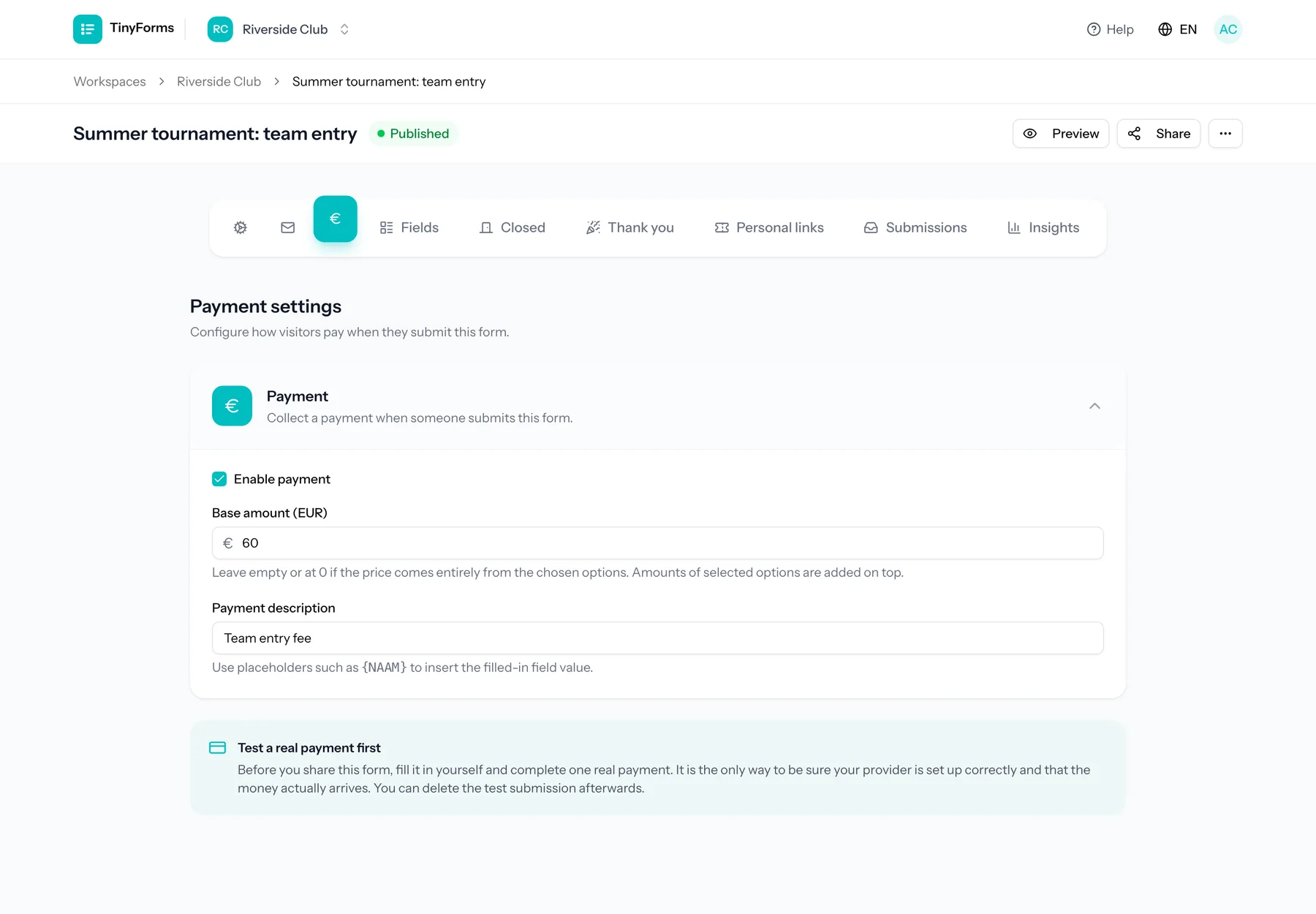
A form that ends in "we will send you the details" ends in chasing people. TinyForms charges the amount at the moment someone submits, through the Mollie or Stripe account you already have, and records on the submission whether the payment went through.
The problem it solves
Splitting registration and payment into two moments means reconciling them later. Someone exports the registrations, exports the bank statement, and matches them by name, which fails for every payment made from a partner's account or with a typo in the reference. Charging during the form removes the reconciliation step entirely: a submission either carries a successful payment or it does not.
Who this is for
Anyone whose form ends in an amount.
- Sports clubs charging a season membership fee
- Event organisers selling tickets with several price levels
- Associations collecting a yearly contribution
- Schools asking for a contribution towards a trip
How it works in TinyForms
Payments are configured per form, on top of a payment provider connected once per workspace.
- 1
Connect your own Mollie or Stripe account
In the workspace payment settings you choose Mollie or Stripe and add its API key, which is stored encrypted. For Stripe, TinyForms sets up the webhook in your account by itself. Money moves from the payer to you; TinyForms is never in the middle of it.
- 2
Choose a fixed amount, or per-field pricing
Either the form charges one amount, or you attach amounts to the options of checkbox, radio and select fields and the total adds up as the respondent chooses.
- 3
The respondent pays while submitting
After submitting they are sent to the payment page of Mollie or Stripe to pay with the methods your account supports, in the language of the form, and returned to your form's thank-you page afterwards.
- 4
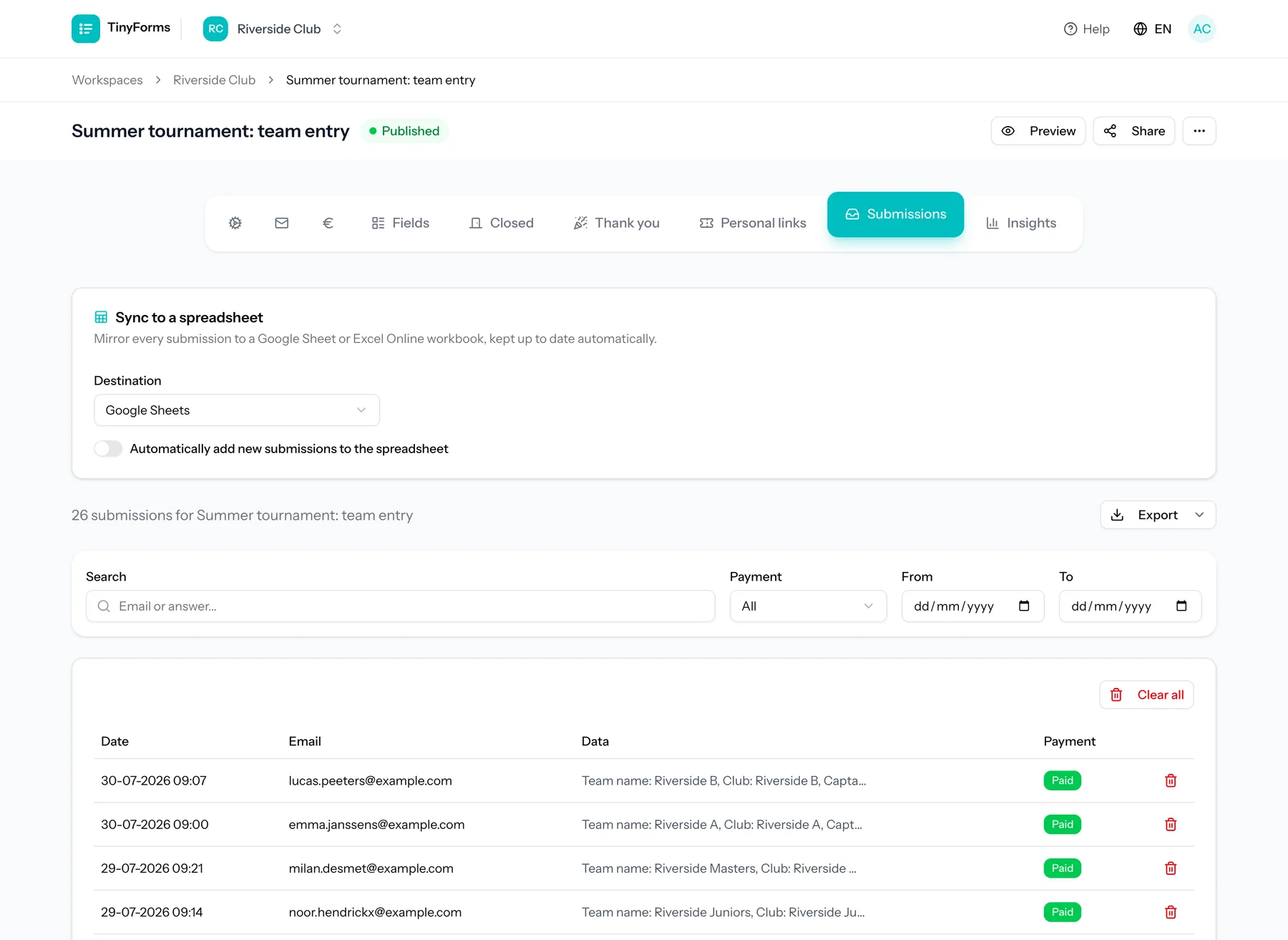
The result lands on the submission
Your provider tells TinyForms when the payment went through or failed, also for methods that take a few days such as SEPA Direct Debit, so the submission list shows who has actually paid without you checking anywhere else.
Plans and limits
Worth knowing before you build the form.
Pro and Business only
Payments are part of the Pro and Business plans. Every new workspace trials Pro for fourteen days, so you can build and test a paid form before deciding.
Your account, your terms
Payment methods, payout schedule and the provider's own fees are between you and Mollie or Stripe. TinyForms adds no transaction fee of its own.
Payment status, not accounting
TinyForms records whether a payment succeeded and when, and can send a payment back from the answer. Invoices and VAT handling stay in the dashboard of your provider.
Common questions
- Do I need my own Mollie or Stripe account?
- Yes, one of the two. Payments run through your own account so the money arrives with you directly and you keep the relationship with the payment provider. Already have Stripe for a webshop or donations? Then you do not need a second provider.
- Can the price depend on what someone picks?
- Yes. Options on checkbox, radio and select fields can each carry an amount, and the total is calculated as the form is filled in.
- What happens if a payment fails?
- The submission is still recorded, with its payment status marked accordingly, so you can see exactly which registrations are unpaid.
- Can I combine payment with a capacity limit?
- Yes. Option limits, a maximum number of submissions and a waiting list all work alongside payments on the same form.
Who this is for
Associations
Member registrations, event sign-ups and contributions, without a spreadsheet that only one person understands.
Read moreSports clubs
Season registrations, membership fees and team places, handled in one form instead of three.
Read moreEvents
Ticketed sign-ups with real capacity limits, a waiting list behind them and payment on the spot.
Read moreBuild a form that gets paid
Start with a template that already has priced options and a payment configured.