Languages
One form, four languages
In Belgium and along most European borders, a single-language form quietly excludes part of your audience. TinyForms runs its interface, validation messages and emails in English, Dutch, French and German, so the only thing you write is your own questions.
The problem it solves
Duplicating a form into a second language doubles every future change, and the two copies drift apart within a season. Worse, the parts you did not write yourself, the buttons, the error messages, the confirmation email, usually stay in one language anyway, so even a translated form still reads as half-translated to the people using it.
Who this is for
Anyone whose audience does not share one language.
- Bilingual schools and schools in border regions
- Associations with members across a language boundary
- Events that draw an international audience
- Organisations in Belgium, Luxembourg and Switzerland
How it works in TinyForms
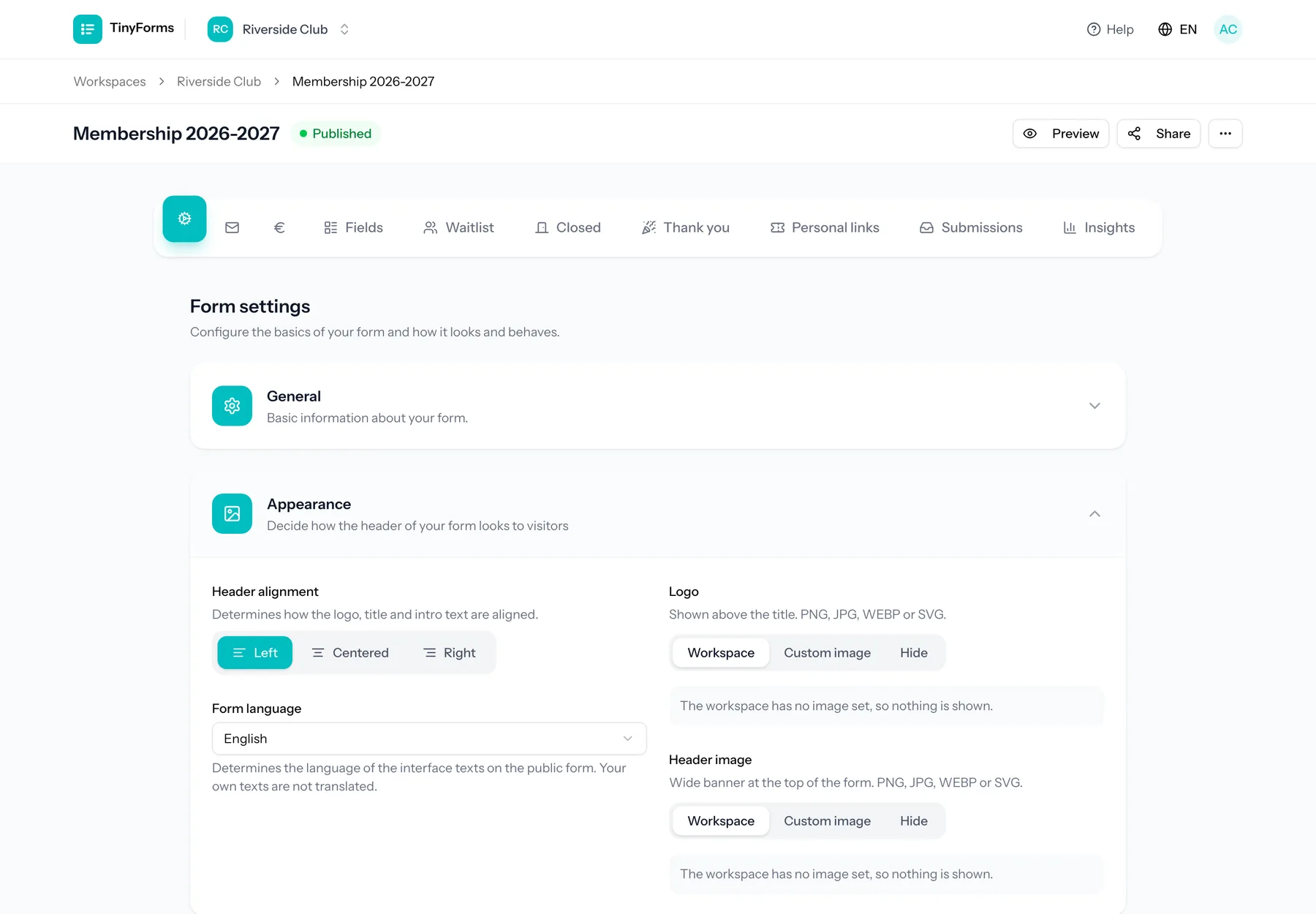
Language is handled in two independent places: the application you work in, and the form your respondents see.
- 1
Your own interface language
Every user picks the language they work in, saved on their account. It has no effect on what respondents see.
- 2
A language per form
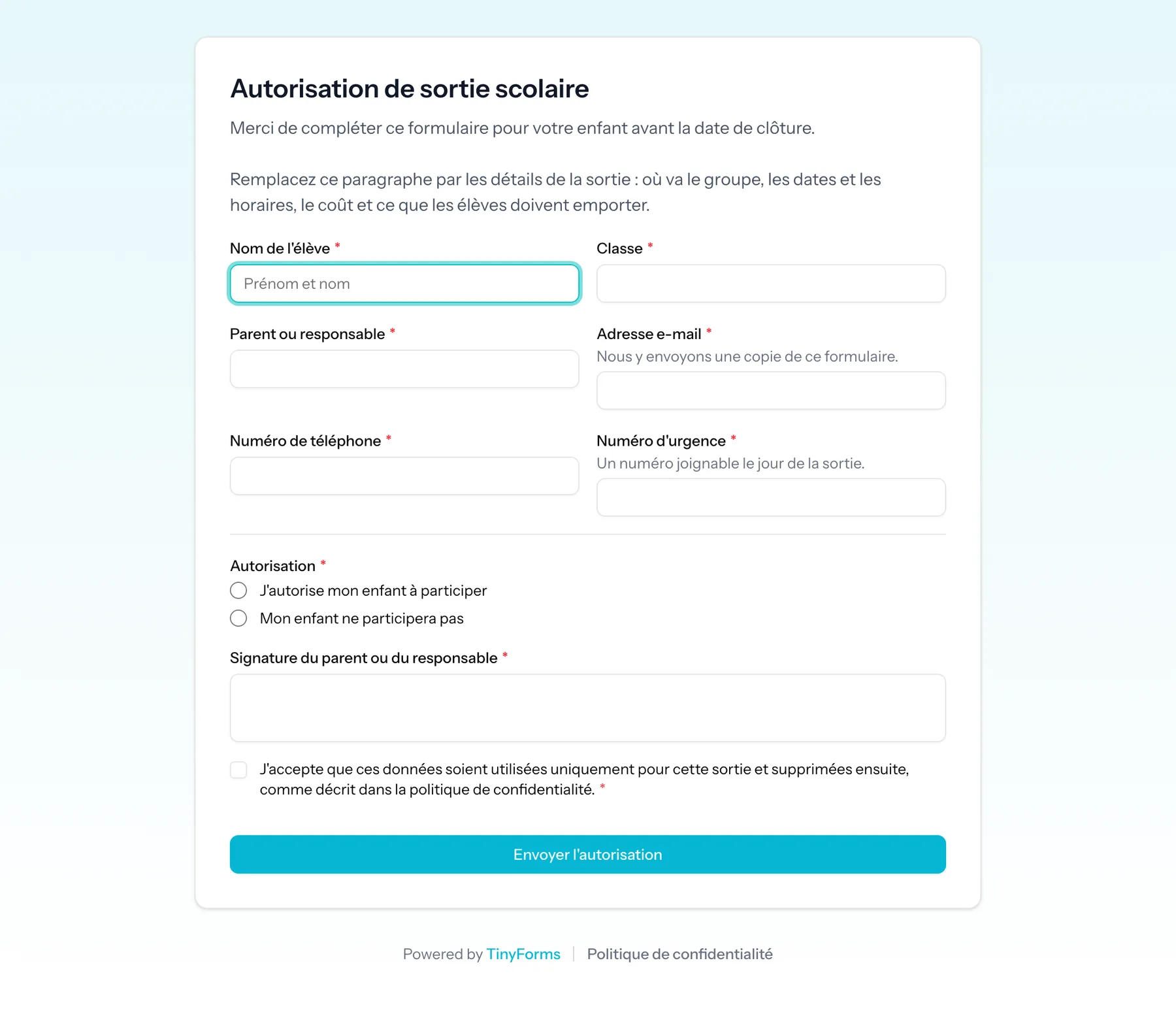
A form can be pinned to English, Dutch, French or German, which fixes the buttons, validation messages and emails to that language. For a second language, duplicate the form and translate the copy, by hand or with the AI assistant on Pro and Business.
- 3
Your questions stay yours
Labels, help text and options are the words you type. The framing around them is what TinyForms translates.
- 4
Emails in the same language
The owner notification and the submitter confirmation are rendered in the form's language, so a French respondent gets a French confirmation.
Plans and limits
The honest boundaries of what "multilingual" means here.
Available on every plan
All four languages are part of every plan, including Free.
Four languages, not any language
English, Dutch, French and German are supported. A form is always in one of those four.
Your own text is not translated for you
TinyForms does not machine-translate your questions. If you want the same form in two languages word for word, you duplicate it and translate the labels, and the surrounding interface follows automatically.
Common questions
- Does the form follow the visitor's language automatically?
- No. A form shows in the one language you chose for it, so the buttons and messages match the questions you wrote. For visitors who read another of the four languages, share a translated copy next to it.
- Are the confirmation emails translated too?
- Yes. Both the notification to you and the confirmation to the respondent are rendered in the form's language.
- Can two people in the same workspace work in different languages?
- Yes. The interface language is a per-user setting.
- Is the help centre available in all four languages?
- Yes, and every article has the same address in each language, so switching language on an article keeps you on that article.
Who this is for
Associations
Member registrations, event sign-ups and contributions, without a spreadsheet that only one person understands.
Read moreSchools
Permission slips, trip registrations and parent surveys, collected once and deleted on schedule.
Read moreEvents
Ticketed sign-ups with real capacity limits, a waiting list behind them and payment on the spot.
Read moreBuild a form everyone can read
Pick the language per form, or let it follow whoever opens it.