Privacy
Collect what you need, and let it expire
Most privacy problems with forms are not about collecting data, they are about keeping it. TinyForms is built and hosted in the EU, records consent alongside the answers, and deletes submissions automatically once the period you set has passed.
The problem it solves
A registration list that should have been deleted after an event is still in a shared folder two years later, because deleting it was a manual job nobody scheduled. Meanwhile the consent that was given, if it was recorded at all, lives in a different place from the answers it applies to. Retention as a setting, and consent as a field, turn both into something the system does rather than something a person remembers.
Who this is for
Anyone collecting personal data from people who trusted them with it.
- Schools handling medical and dietary details about children
- Associations holding a member register
- Clubs collecting photos and identity details
- Any organisation that has to answer a data request
How it works in TinyForms
Five things that work together rather than one privacy switch.
- 1
Everything stays in the EU
TinyForms is built and operated in the European Union by Hyperchicken BV, and your forms and submissions are stored there.
- 2
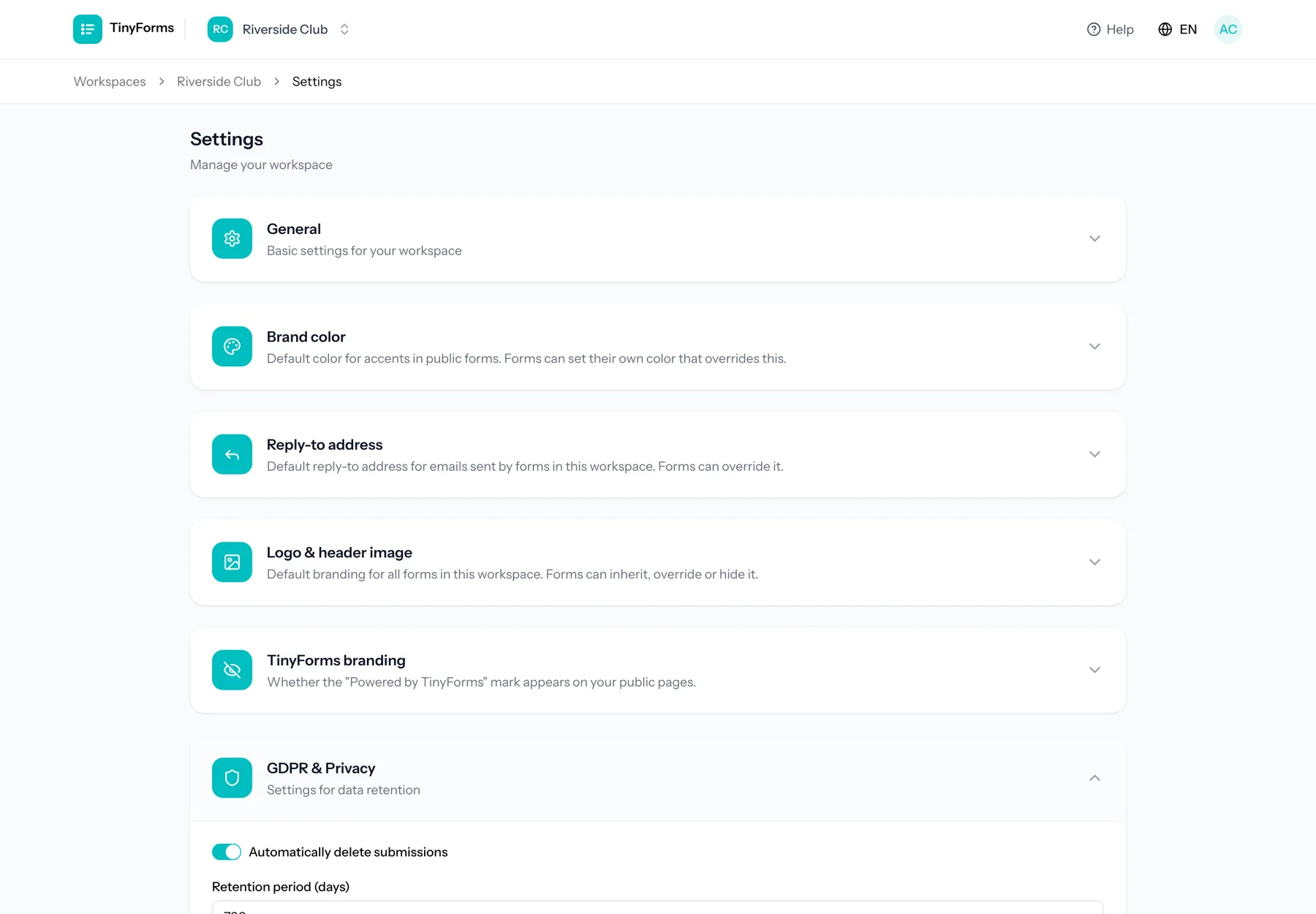
Retention is a workspace setting
Choose how many days submissions are kept. A daily job deletes what has expired, leaving only anonymous daily counts behind. Export the answers your own records need before that day arrives.
- 3
Consent recorded with the answers
A consent field shows your own disclaimer text beside the checkbox, including links, and stores the agreement as part of the submission it belongs to.
- 4
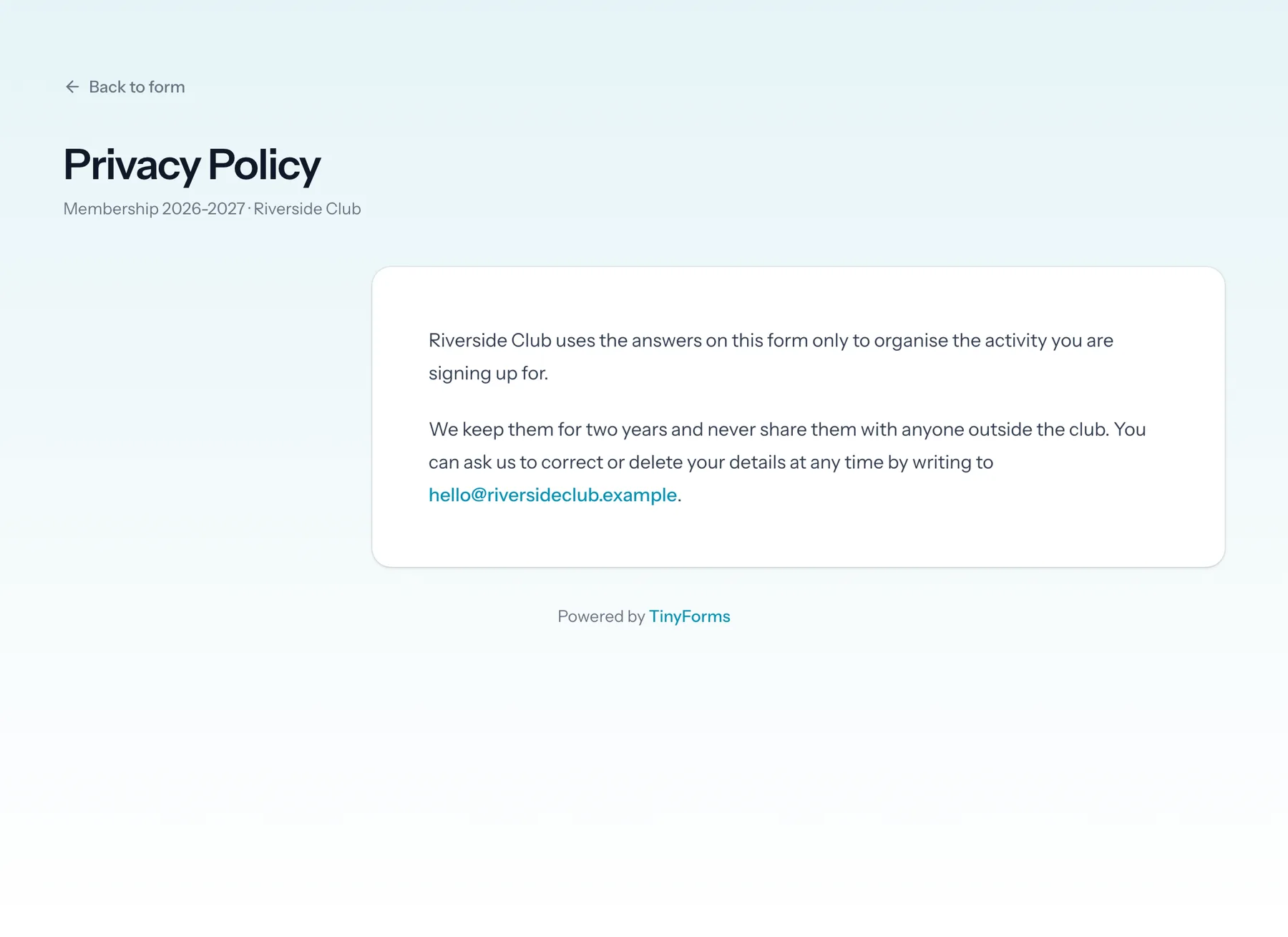
A privacy page per form
Each form has its own privacy page showing your policy and the retention period that applies, linked from the form itself.
- 5
Access and erasure requests in one place
When someone asks what you hold on them, or asks you to erase it, search their email address across every form of the workspace. Export everything found as one ZIP to forward, or erase it in one go, files included. A log records when each request was handled and by whom, without the data itself.
Plans and limits
Including the part that is your responsibility rather than ours.
Retention ceilings differ per plan
Free keeps submissions for up to 30 days, Pro for up to a year, and Business has no ceiling and can also switch automatic purging off entirely.
Uploads are private by default
Files attached to a submission are stored on a private disk and can only be downloaded by someone with access to the workspace. File uploads are part of Pro and Business.
You remain the controller
What you ask, why you ask it and how long you keep it are your decisions. TinyForms gives you the controls and processes the data on your instructions.
Common questions
- Where is the data stored?
- In the European Union. TinyForms is built and operated in the EU by Hyperchicken BV.
- What exactly is deleted when retention expires?
- The submissions and their answers, including uploaded files. What stays behind is anonymous: the daily counts of visits and submissions, which name nobody. So do the payment records: amount, date and payment reference, without the answers. Your payment provider keeps its own copy too.
- Can I keep submissions indefinitely?
- On the Business plan, yes: it has no retention ceiling and can turn automatic purging off. Free and Pro have ceilings of 30 days and a year.
- How do I answer a request to see or erase someone's data?
- Owners and admins open Personal data in the workspace menu, on every plan. Search the person's email address across all forms, then export what was found as one ZIP with a readable summary and the uploaded files, or erase it all at once. Rows already synced to a spreadsheet and emails already sent are outside TinyForms, so the page tells you to handle those yourself.
- Is there a data processing agreement?
- Ask through the contact page and we will point you to the current document.
Who this is for
Set retention once and forget it
Pick how long you keep answers, and let TinyForms do the deleting.