
Every September the same question comes up in staff rooms: can we just send parents a Google Form? It is free, everyone knows it, and the answers land in a spreadsheet. Then someone asks whether that is allowed under the GDPR, and nobody is quite sure.
The honest answer is neither "yes" nor "no". The GDPR does not approve or ban products. It puts obligations on your school, and whether Google Forms (or Microsoft Forms) meets them depends on which version you use, how it is set up and what you ask in it. This article explains what regulators and public bodies have actually said, where the risks are, what your school has to arrange, and when an EU-hosted tool such as TinyForms is simply the easier route.
This is practical guidance, not legal advice. Your school's data protection officer (DPO) has the final word.
In short:
- Google Forms is not forbidden, but a teacher's personal Google account is a very different thing from a properly configured school account.
- Public bodies in the Netherlands, Flanders and Denmark have examined Google's education products in depth. Their conclusion: usable under conditions, and schools have to do real work to meet them.
- The four risk areas are transfers outside the EU, the data processing agreement, data about minors (especially health data) and how long answers are kept.
- For forms aimed at parents, such as consent slips and enrolments, a form tool hosted in the EU with automatic deletion removes much of that work.
The short answer: it depends on which Google Forms
There are two very different situations behind the same logo.
A school account in Google Workspace for Education. Google Forms is one of the core services of Google Workspace, covered by the school's agreement with Google. In that setup the school is the controller and Google acts largely as a processor, under contract terms the school has accepted.
A personal Google account. A teacher who builds a form in their own Gmail account is outside the school's agreement altogether. There is no processing agreement between the school and Google for that data, and the school cannot control or delete it centrally. This is where most real problems start.
So the useful question is not "is Google Forms GDPR compliant?" but "is our school using a version and a setup we can defend?"
What regulators and public bodies have found
The Netherlands: usable, but only in the paid editions
In 2021, SURF, SIVON and the Dutch government's procurement body ran a data protection impact assessment (DPIA) on Google Workspace for Education and found eight high risks, mainly because Google was not transparent enough about what data it collected and why. After two years of negotiation, the Dutch education minister informed parliament in July 2023 that those risks were no longer high and that use could continue.
In June 2024 SIVON reported that Google Workspace can be used safely in education, provided schools take measures themselves, including settings that only exist in the paid editions. In September 2025 SIVON put it bluntly: the free edition cannot be used safely.
Flanders: a strict supervisor and a deadline
The Flemish supervisory commission (VTC) took a firm position in 2023: schools using Google structurally had to stop unless they took protective measures at least equivalent to those in the Netherlands. A Flemish expert group has since completed a model DPIA, and its guidance says a paid licence (Standard or Plus) is needed to keep data inside the European Economic Area. The VTC extended its deadline by at most one year, to 1 September 2026.
Denmark: serious criticism over sub-processors
The Danish data protection authority ordered 53 municipalities in 2024 to stop passing pupils' data to Google for purposes without a legal basis. In January 2026 it expressed serious criticism of 51 municipalities, focusing on Google's sub-processors outside the EU and on settings that did not match the agreed requirements.
Transfers to the US: legal for now, still contested
The EU adopted the EU-US Data Privacy Framework in July 2023, and the EU General Court upheld it in September 2025. An appeal to the Court of Justice is pending, and the two previous frameworks were struck down. In the UK, a similar "data bridge" applies under the UK GDPR.
The common thread: none of these bodies said "never". All of them said the school is responsible for proving that its use is lawful.
Where the risks are
1. Transfers outside the EU
Even with data stored in Europe, a US provider and its sub-processors can be reached by US law. The European Data Protection Board's Opinion 22/2024 makes clear that the controller (your school) must know who its processors and sub-processors are and check their guarantees.
2. The data processing agreement
Article 28 of the GDPR requires a written agreement with every processor. For a school Workspace account this exists, if someone accepted it. For a personal account it does not. The same goes for any other tool a teacher signs up for on a whim.
3. Data about minors, and health data in particular
Pupils deserve extra protection. A school trip form often asks about allergies, medication or diet, which is health data, a special category under Article 9. Ask only what the trip needs, and only from those who are actually going.
4. Retention
The GDPR says to keep personal data no longer than necessary. In practice a Google Form keeps its answers, and its linked spreadsheet, until somebody deletes them. Last year's medical list quietly survives in someone's Drive.
What your school has to arrange
Whatever tool you choose, this is the list:
- Use school accounts only. No forms in personal accounts for school business.
- Check the contract and the edition. Is there a processing agreement, and does your edition let you keep data in the EU?
- Do a DPIA for anything involving pupils at scale or sensitive data. Model DPIAs exist; use them, but adapt them to your school.
- Inform people. Every form needs a clear privacy notice: who you are, why you collect the data, how long you keep it, who to contact.
- Choose the right legal basis. Much of what a school does rests on its public task, not on consent. Ask for consent only where people can genuinely say no, such as publishing photos.
- Collect less. Every question you drop is a risk you do not carry.
- Set a deletion date and make sure it actually happens, including in exports.
- Involve your DPO before rolling out a new tool, not after.
The UK Department for Education's data protection guidance for schools covers the same ground for schools in England.
When an EU-hosted form tool is the simpler choice
If your school already runs a paid, properly configured Workspace with a DPIA in place, internal forms inside that environment can be perfectly defensible. But many forms are not internal: they go to parents, often from a teacher or a parent council without an admin console. For those, the checklist above is a lot of work to repeat for every trip.
That is where TinyForms fits. It is built and operated in the EU by Hyperchicken BV, and everything is hosted in the EU. Parents do not need an account. And the privacy work is part of the form instead of a separate task:
- A privacy page on every form, linked from the form itself. By default it is generated in the form's language, naming your school and the retention period. You can replace it with your own policy for the whole workspace or for one form.
- A consent field with your own text and links, stored with the submission it belongs to.
- Automatic deletion. You set how many days submissions are kept, and they are deleted every night once that period has passed, leaving only anonymous counts. Owners and admins get a weekly email listing what will be deleted soon.
To be honest about the rest: TinyForms stores the IP address and browser of each submission to guard against spam, your school remains the controller, and you still decide what is proportionate. For the data processing agreement, ask through our contact page and we will send you the current document. The GDPR-friendly forms page explains the approach in more detail.
How to set up a GDPR-friendly school form in TinyForms
Step 1: Start from a school template
The school trip consent template asks for the pupil, a guardian, an emergency number and permission, and only shows the medical and dietary questions when the pupil is going.
For new pupils, the enrolment template keeps a required privacy consent separate from an optional photo consent, so a "no" to photos is not a "no" to enrolment.
Both templates include a file upload, and the trip template a drawn signature. Those two field types need the Pro or Business plan; on the Free plan you can delete them and publish the rest.
Step 2: Check the privacy page
Open the privacy page from the form preview. If the generated text suits you, you are done. If your school has its own privacy notice, paste it into the workspace settings once, and every form uses it.
Step 3: Word your consent carefully
Use the consent field for what is truly optional, and keep each choice in its own box. Link to your privacy page in the text.
Step 4: Pick a retention period that fits
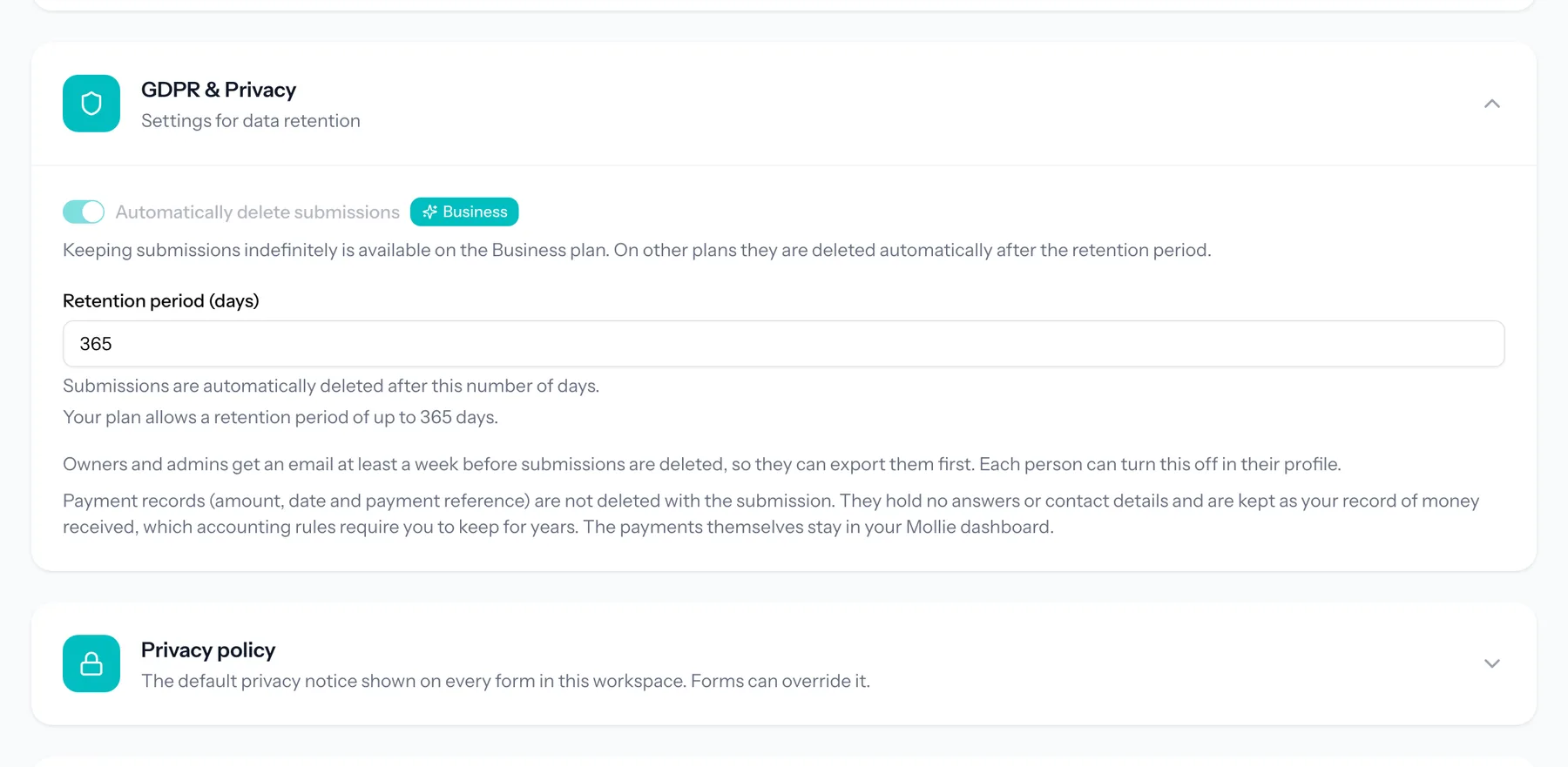
Retention is set per workspace and counts from the day each submission came in. If you open the form two months before the trip, a 30-day period would delete answers before you leave. Free allows up to 30 days, Pro up to a year, and Business can keep submissions without a limit. The pricing page has the details.
Step 5: Export what you must keep, then let it go
If your administration needs a record, export to CSV or Excel before the period ends. Everything else disappears on schedule. The help article on data and privacy explains exactly what is deleted and when.
More ideas for forms in education are on our page for schools.
Frequently asked questions
Is Google Forms GDPR compliant?
No product is "GDPR compliant" on its own. Google Forms inside a paid, well-configured Google Workspace for Education, with a DPIA and a processing agreement, can be used lawfully according to several European public bodies. Google Forms in a teacher's personal account is very hard to defend for pupil data.
Do we need parents' consent to use Google Forms?
Usually consent is the wrong basis for a tool pupils cannot opt out of. Dutch schools were advised by SIVON not to ask for it, because a "no" would exclude a child from lessons. Check with your DPO what applies in your country.
What about Microsoft Forms?
The same questions apply: which account, which agreement, where the data goes, how long it stays. Microsoft has moved most processing into an EU Data Boundary, and assessments of Microsoft 365 differ between authorities, so follow the advice of your own supervisor or school network.
Does TinyForms have a GDPR certification?
No, and we do not claim one. What we offer is EU hosting, a privacy page and consent field on every form, automatic deletion, and a processing agreement on request.
Can pupils use TinyForms for a research project?
Yes. Our guide to creating a survey for a school project covers questions, consent and anonymity for student research.