Enable payments Link to this section
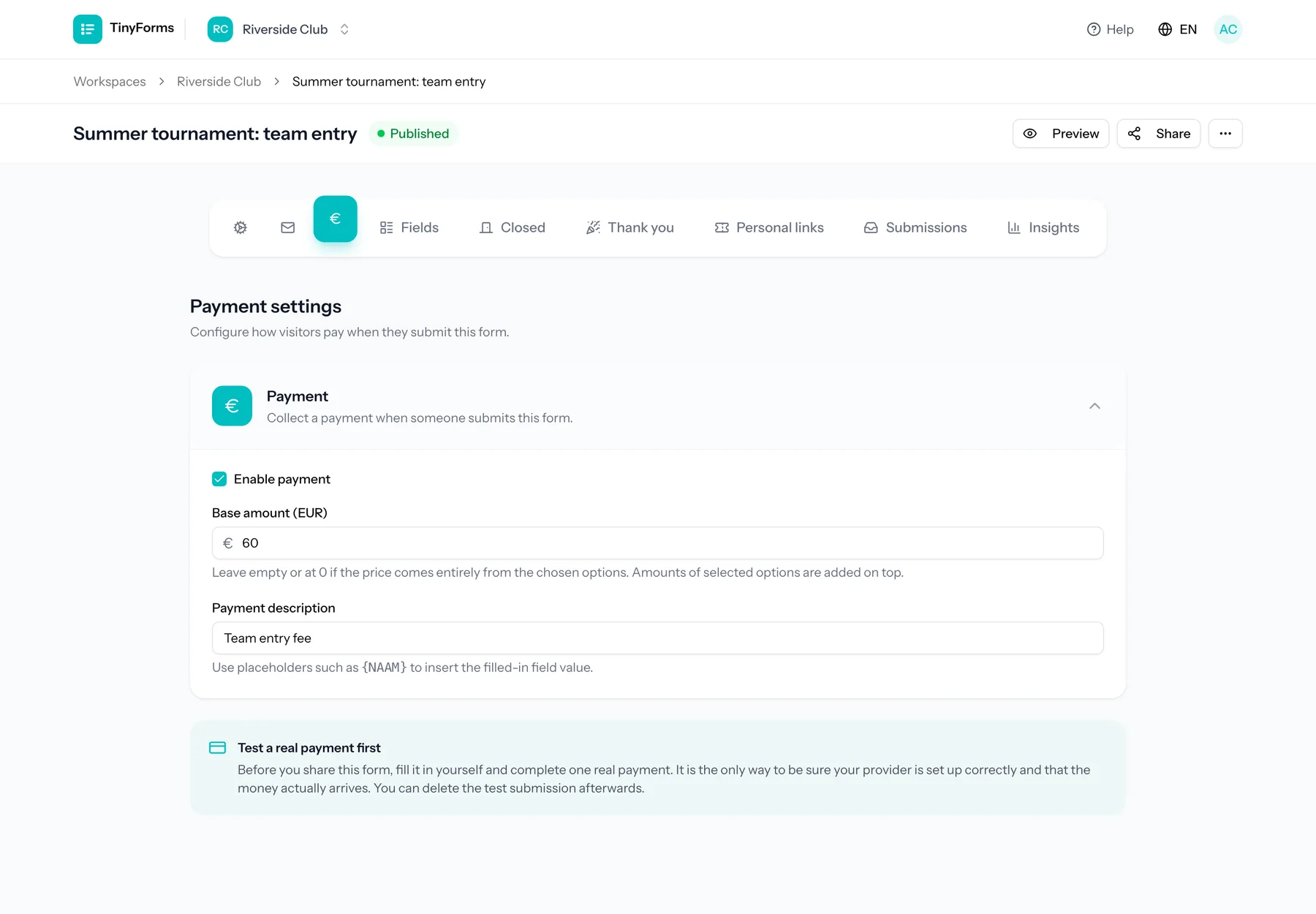
Turn on payments for a form to collect money when someone submits, for example a registration fee or contribution. Payments are processed through your own Mollie or Stripe account, whichever your workspace connects in its payment settings. The form works the same with either.
Plan feature
Payments are available on paid plans, and your workspace needs a payment provider configured. See Payment settings.
Fixed or per-field pricing Link to this section
Charge a single fixed amount, or build the total from the choices people make. Options in checkbox, radio and select fields can each add to the price, so the amount reflects exactly what someone selected.
A field only counts towards the total once you switch it on. Open a field's settings and turn on "This field affects the amount". The setting is always there on a field that could carry a price, so if payments are still off for the form it tells you so and takes you straight to the payment settings.
A number or slider field can carry a price per unit instead of per option. The total multiplies that price by the number someone enters, so an "Amount of barbecues" field at 25 euro each adds 75 euro for three. Give the field a maximum so the quantity stays sensible, and add one field per item you sell.
To let people choose what they pay, for a donation or a free contribution, add an Amount field. It shows the amounts you suggest as buttons, next to an input for any other amount, typed with a comma or a dot. Set a minimum and a maximum in the field itself; without a maximum it takes up to 10,000 euro. The amount needs no switch: it always adds to the total, together with the start amount and the priced fields, as long as payments are on for the form. An optional amount left empty or at zero adds nothing, and a total of zero starts no payment.
Where the amount shows up
The recap, the emails and placeholders write the amount in the language of the form, like €12.50 in English and € 12,50 in Dutch. CSV and Excel exports carry it in euro, written like the payment amount columns, and the insights show the total and the average amount. A condition compares it in euro, so "more than 50" means more than 50 euro.
Two options can carry different prices and still sell the same places: a single date at one price, the whole series at another. That is what shared places are for, described under Submission settings.
You can also set a custom payment description that appears during checkout. Put a field label between braces to fill it with the answer, for example "Barbecue 14.08 {Name}". The form shows the description under the amount and fills the placeholders while people type, so they read the exact line that ends up on their bank statement.
Discount codes, an early bird and a discount per extra child can lower the total. See Discount codes and automatic discounts.
Payment status Link to this section
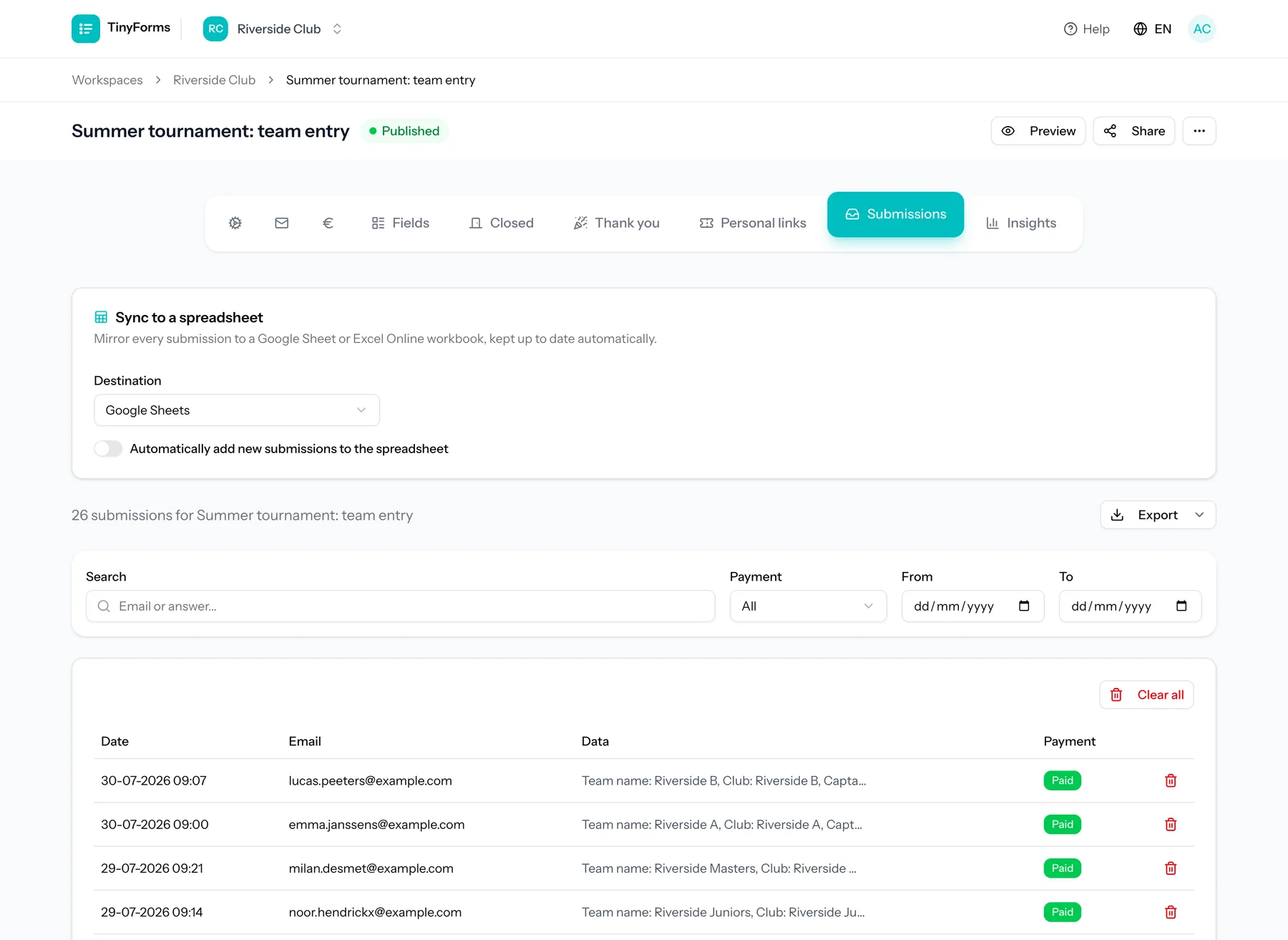
Each submission tracks its payment status: pending, paid or failed. The status is updated automatically when your payment provider notifies us of the outcome. A method that takes a few working days, such as SEPA Direct Debit, keeps the submission pending until the money is confirmed, and only then are the notification and confirmation emails sent.
The Payments tab next to the submission lists shows every payment the form received: when it came in, the amount, whether it was refunded and its payment reference: the payment id at Mollie, or the PaymentIntent (starting with pi_) at Stripe, so you can look it up in their dashboard. A payment stays on that list after its submission is deleted permanently, by you or by the retention period, so it remains your record for the books. Export the list as CSV or Excel from the same tab. Deleting the form removes its payments with it.
Unpaid registrations Link to this section
Someone who closes the payment page or lets it expire stays unpaid, with the status pending or failed. Open their answer and choose "Send payment link". They receive an email in the language of the form with a link to pay the amount their answers come to on the published form. The link keeps working until the answer is paid: every time it is opened it starts a fresh payment page, and once the answer is paid it simply says so. The answer shows when the last link went out.
To ask everyone at once, filter the submissions on the payment status Unpaid (or Pending, or Failed) and choose "Send payment reminder". Every unpaid answer in the list gets its own link. Answers with nothing to pay or without a usable email address are skipped, and you are told how many.
An answer that waits for a place pays nothing at first: someone on the waitlist, or an answer whose choice went on an option's waiting list. When a place frees up for them, send them a payment link from their answer in the same way. Sending it confirms their place at once: a waitlist entry counts against the form's maximum from then on, and a queued choice against the option's limit. The link asks for what their answers come to, which for someone on the waitlist is the start amount plus anything the waitlist's own questions add. From that moment it is an ordinary unpaid registration, so the reminder and the release of unpaid places below apply to it, counted from when you sent the link. "Send payment reminder" on the list and the automatic reminder skip answers that still wait for a place: that stays your decision, one answer at a time.
In the payment settings of the form you can also send one reminder automatically, a number of days after the answer came in, to every unpaid answer that has not received a payment link yet. Switching it on also reminds unpaid answers that are older already, once.
By default an unpaid registration keeps its place. When places are scarce, set the form to release the place of an unpaid registration after a number of hours. The registration is then cancelled, so its place comes free, and it moves to the Cancelled list, where you can restore it. A reminder then also says by when to pay. Both settings take effect once you publish the form.
Paid twice?
When a new link is opened, TinyForms asks your provider to cancel the older payment page. Stripe always allows that for a page that is still open, Mollie does not for every payment method. If someone still pays an old page, both payments are kept and listed on the Payments tab, and the workspace owner gets an email so one of them can be refunded, from the answer or from the dashboard of your provider.
Test before you share Link to this section
Once payments are switched on, fill in the form yourself and complete one real payment before you share the link. It is the only way to confirm your provider is set up correctly and that the money actually reaches your account.
Tip
Delete the test submission afterwards so it does not show up in your results.