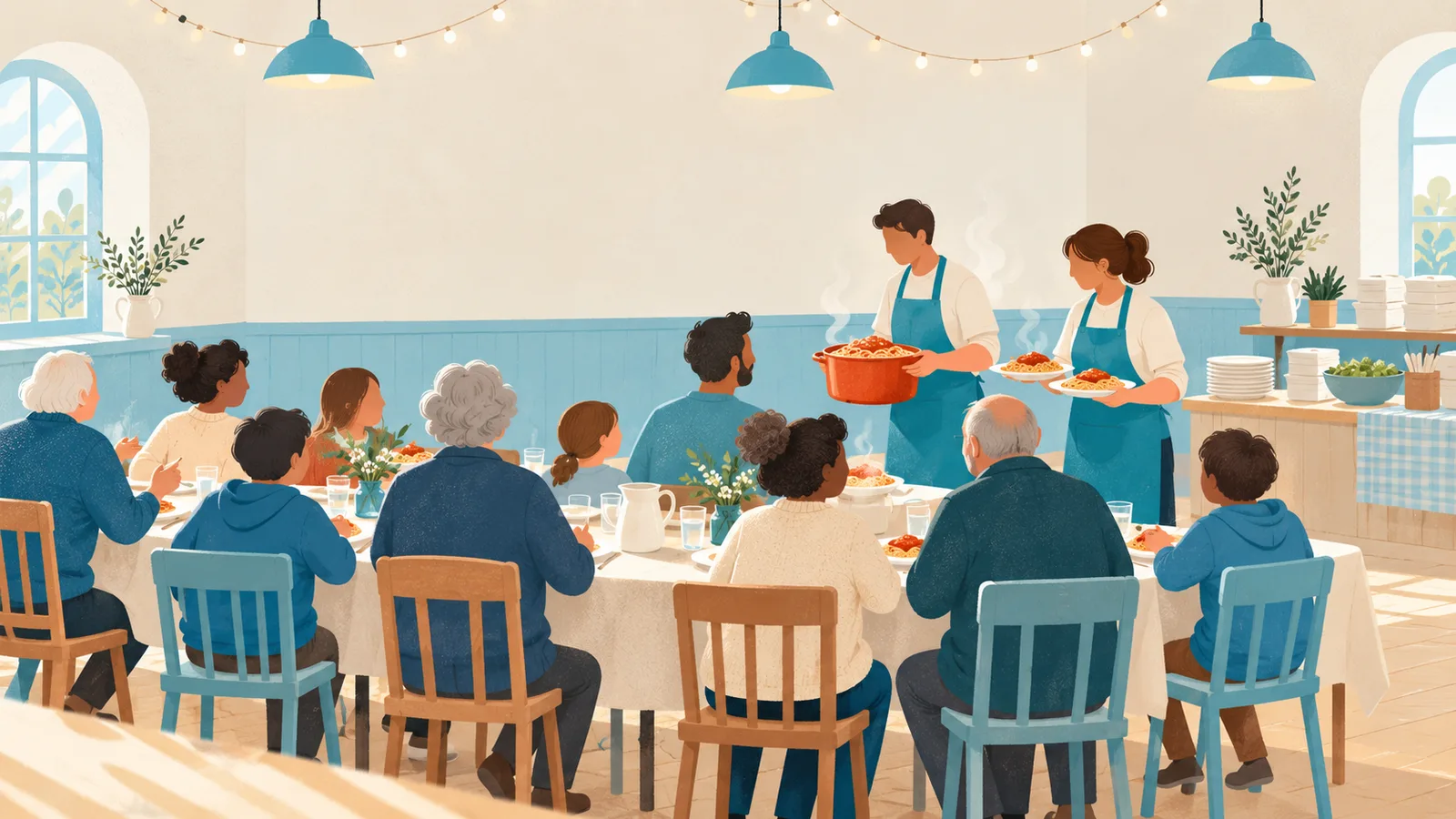
A spaghetti supper, a curry night, a fish and chips evening: a fundraising dinner is one of the most reliable ways for a sports club, a school or a scout group to fill the kitty. It is also one of the most stressful evenings of the year for whoever runs the kitchen. Will a hundred people turn up, or two hundred? Do we cook twelve kilos of pasta or twenty? And why is everyone standing at the till at the same time?
The answer to almost all of it is the same: let people order and pay in advance. You know how many portions to make, you buy only what you need, nobody queues at a cash box, and the money is in the bank before you have peeled a single onion.
Below you will find why pre-ordering works so well, practical tips from clubs that do this every year, and a step-by-step guide to one order form in which people fill in how many portions they want of each dish, choose between eating in (with a sitting) and taking away (with a pick-up time), and pay straight away.
In short:
- Take orders and payment in advance, and close orders a few days before you shop.
- Ask for the number of portions per dish, with a separate price for a children's portion.
- Spread the evening: two sittings in the hall and pick-up times every fifteen minutes for takeaway.
- Always offer a vegetarian dish, and ask about allergies on the form.
Why pre-orders make a fundraising dinner easier
Less food waste, more profit
When you know the orders, you cook for those orders plus a small margin, instead of guessing and throwing away a pan of sauce at the end of the night. Leftovers are the hidden cost of every dinner; cutting them is the quickest way to raise more.
No queue at the till
Paying online means nobody handles cash on the night, nobody needs change, and the volunteers at the door only have to tick names off a list. The treasurer gets a clean overview of every payment instead of a box of coins to count at midnight.
A kitchen that can plan
Portions per dish and per time slot tell the kitchen exactly what to have ready when. A takeaway order for 17:15 can be packed at 17:10, and the second sitting does not wait while the first one is still being served.
Practical tips for a smooth evening
- Keep the menu short. Two or three main dishes and a dessert is plenty. Every extra dish adds a pan, a shopping line and a chance of running out.
- Always add a vegetarian option. A meat-free dish is easy to cook in bulk, and it means nobody has to stay home.
- Price children's portions separately. A smaller plate at a lower price makes the evening affordable for families, and it tells the kitchen how many small portions to plate.
- Work with sittings in the hall. Two sittings (say 17:30 and 19:30) double what your hall can hold and keep the kitchen busy at a steady pace instead of in one rush.
- Count tables, not people. A sitting fills up in tables or orders. Decide how many tables you can lay, and ask for the number of people per order separately.
- Offer takeaway in time slots. Pick-up times every fifteen minutes with room for six orders each keep the queue at the side door short and the food hot.
- Plan your helpers too. Kitchen, serving, washing up, the takeaway counter: plan those shifts the same way you plan the orders. Our guide on filling every volunteer shift explains how.
- Close orders before you shop. Four or five days before the dinner gives you time to total the portions and place your order with the wholesaler.
Allergies: ask, and know what is in the food
Anyone who sells or serves food has to be able to tell guests which allergens are in a dish. That applies to a club dinner as much as to a restaurant. Keep a simple list of ingredients per dish in the kitchen, mention the common allergens on the menu, and check with your local food safety authority if you are not sure what applies to you. On the order form, add a question about allergies and dietary needs, so the kitchen can prepare a separate plate rather than find out at the table.
How to build the order form in TinyForms
One form takes the orders, the sittings, the pick-up times and the payment. Start from the event registration template, which already asks for the contact details you need and can take payment.
Step 1: Contact details
Keep the name, email address and phone number from the template, and remove the organisation question and the ticket and workshop questions; the dishes replace them. The email address is where the order confirmation goes. The phone number is useful on the night if someone has not collected their order.
Step 2: One number question per dish, with a price per portion
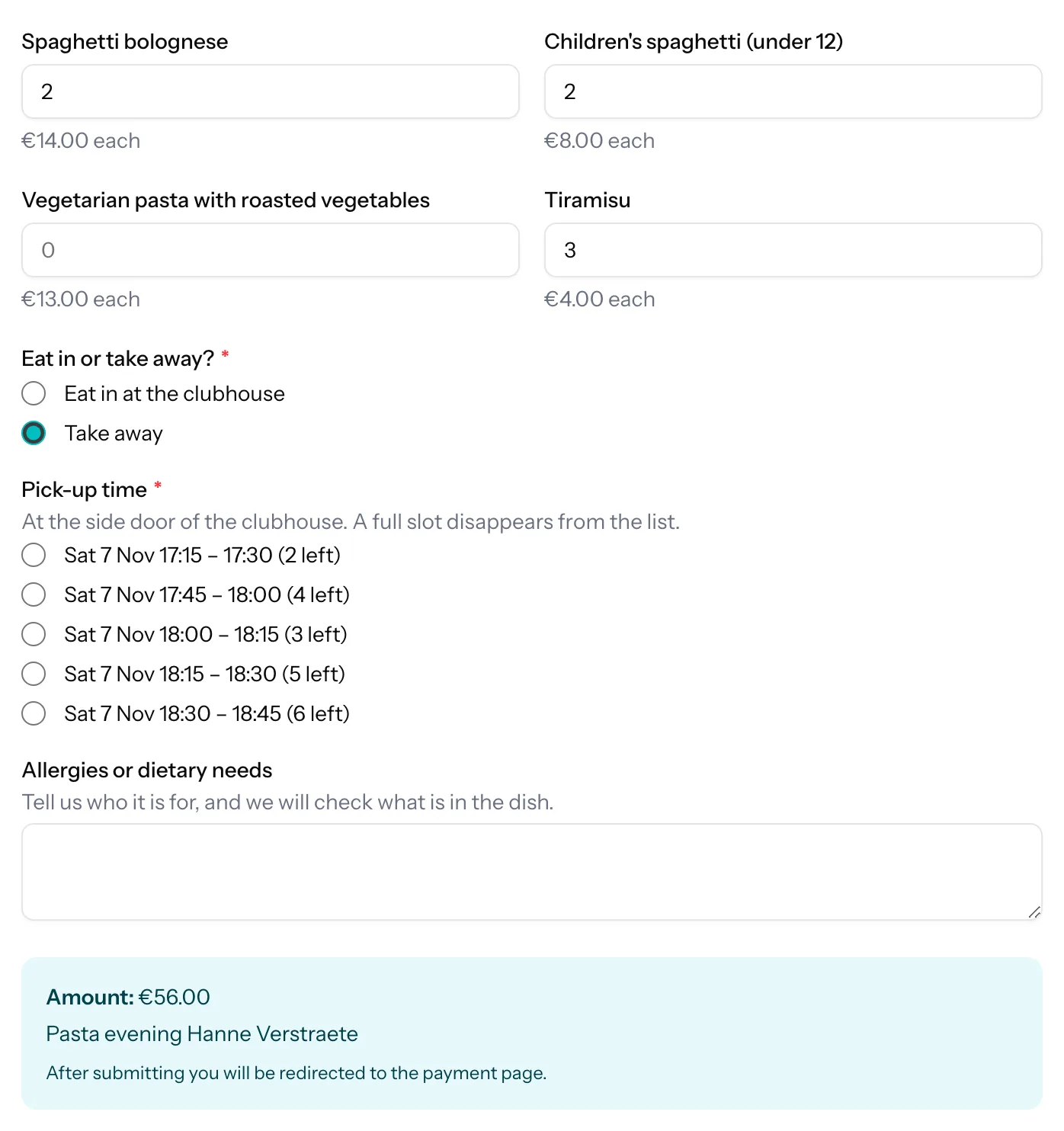
Add a number question for every dish: "Spaghetti bolognese", "Children's spaghetti (under 12)", "Vegetarian pasta", "Tiramisu". Switch on the price and enter a price per unit, for example €14 for an adult portion and €8 for a child's. Set the minimum to 0 and a sensible maximum, such as 20. The total at the bottom of the form multiplies each price by the number entered and adds everything up while people type, so a family sees what they will pay before they press the button.
Step 3: Eat in or take away?
Add a choice question, "Eat in or take away?", with two options: "Eat in at the clubhouse" and "Take away". Everything after this follows from the answer.
Step 4: Sittings in the hall, counted in tables
Add a choice question "Which sitting?" with one option per sitting. Switch on "Limit selections per option" and enter a maximum beside each sitting, then switch on "Show how many spots are left". Give the question the condition "Eat in or take away? equals Eat in at the clubhouse", so only people who eat in see it.
Keep in mind that a maximum counts orders, not people: a table of six takes one place in a sitting, just like a couple. So express the capacity in tables (30 tables per sitting, for instance), and add a number question "How many people at your table?" with the same condition. That number is what you use to lay the tables.
Step 5: Pick-up times for takeaway
Add the Time slots block and give that question the condition "Eat in or take away? equals Take away". In the generator, choose the day, the start and end time (for example 17:00 to 19:00), a slot of 15 minutes and a capacity of 6. Every pick-up time becomes an option with six places, and a full slot disappears from the list. The Halloween post shows the same generator for start times.
Step 6: Allergies and dietary needs
Add a long text question, "Allergies or dietary needs", with a help text that asks who it is for. The kitchen reads it in the export and can label a separate plate with the name.
Step 7: Payment while people order
Connect your own Mollie account once, and the form charges the total the moment someone orders. Set the payment description to "Pasta evening {Your name}", so the treasurer recognises each payment on the bank statement. The Payments tab beside the submissions lists every payment received with its amount and Mollie reference, and exports to CSV or Excel for the accounts. An order whose payment did not go through shows as failed in the submission list; cancel it there ("Cancel registration") to free its place in the sitting or slot.
Step 8: A closing date
Set a closing date under Settings, a few days before you shop. After that date the form shows your closed message instead, for instance "Orders are closed. Fancy a plate anyway? Come along, we cook a few extra."
Step 9: A confirmation with the order
Switch on the confirmation email. It lists every answer the person gave, so it doubles as an order summary: the dishes and portions, the sitting or pick-up time. In the intro, a placeholder can repeat the time, and you add the practical part yourself: where the side door is, and that they should bring their own bag. The help article on email notifications explains the placeholders.
Step 10: Totals for the kitchen
Download the submissions as CSV or Excel. Every dish is its own column, so one sum per column gives the portions to cook, and sorting by pick-up time gives the takeaway counter its list. Rather keep a live list? Connect Google Sheets and every paid order appears as a new row as it comes in, ready for the kitchen team to total. More about syncing with Google Sheets.
One thing TinyForms does not do: it keeps no stock per dish. You cannot tell the form to stop taking stew after 200 portions. If one dish is limited, keep an eye on its column in the sheet and edit the form in time, or put it in the description ("while stocks last").
What does it cost?
Conditional questions, limits per option, the places-left counter, time slots, the confirmation email and the export work on every plan, including Free. A price per portion and payments through Mollie are part of the paid plans, as is the Google Sheets sync. The free plan includes 100 submissions a month, so a big dinner quickly calls for Pro, which includes 2,500. See pricing for the details.
Frequently asked questions
Does a table of six take six places in a sitting?
No. A limit counts orders, not people, so one order takes one place however many people it covers. Set the capacity per sitting in tables, and ask for the number of people in a separate question.
Can I stop orders for one dish when it runs out?
Not automatically. TinyForms has no stock per dish. Watch the totals in your export or spreadsheet, and remove the dish or lower its maximum per order when you get close.
Can people order without paying online?
Yes. Payment is optional per form. Switch it off, put the prices in the question labels, and collect the money at the door. You still know how many portions to cook.
In which currency do people pay?
Payments run through your own Mollie account, in euros. People can pay with the methods you switch on in Mollie, such as cards, iDEAL or Bancontact.