Create and organise Link to this section
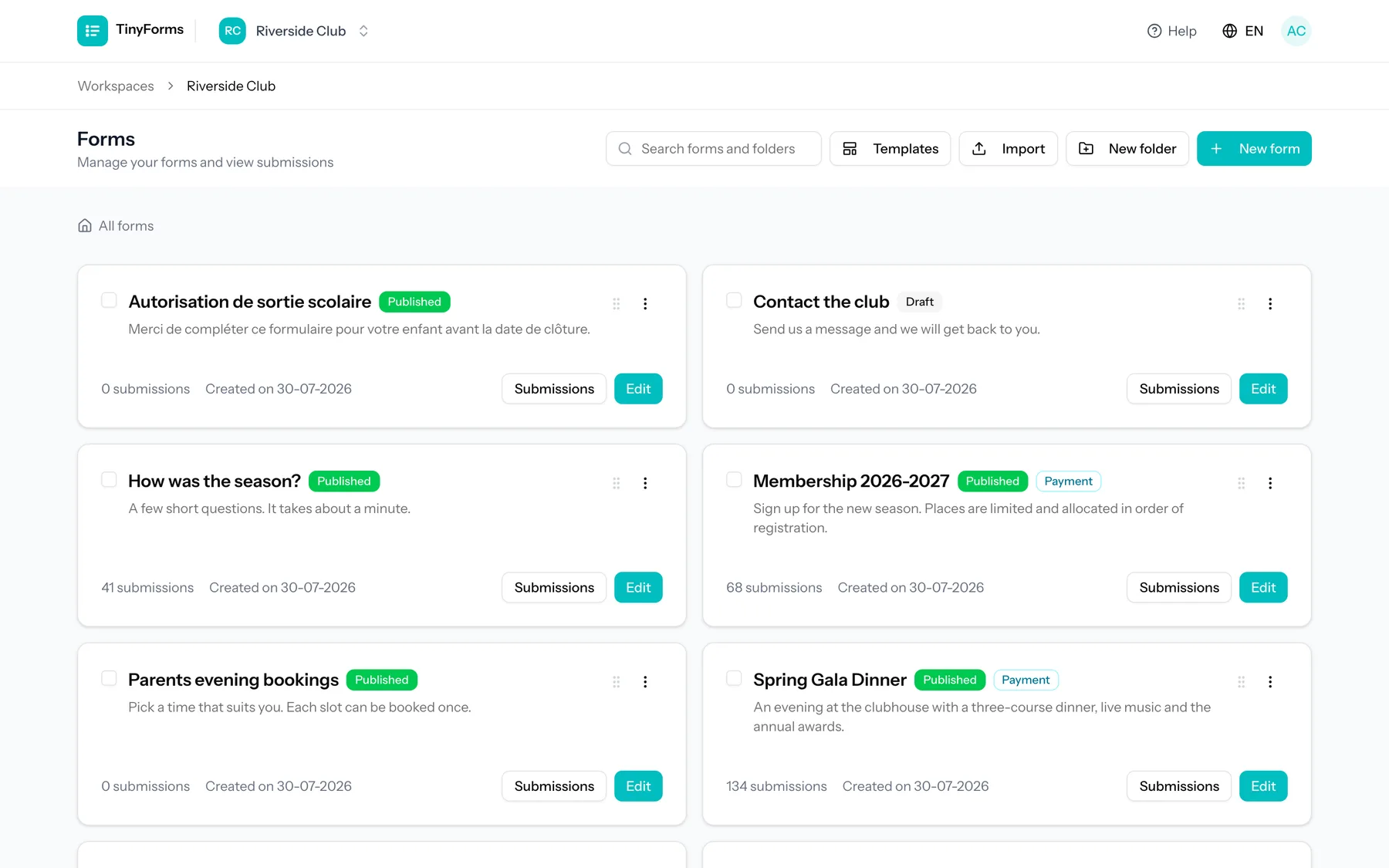
Create a new form and start adding fields. You can duplicate an existing form to reuse its setup, and organise forms into nested folders to keep things tidy as you grow.
The search box above the list finds forms and folders by name anywhere in the workspace, not just in the folder you happen to have open, so you can jump straight to something filed away without clicking through the tree. Searching also matches a form's description.
Every form carries its own menu behind the three dots on its card: edit it, open the live form, copy its link, duplicate it, export it, move it to a folder or delete it. Ticking several forms first turns moving and deleting into one action for the lot, and a form can also simply be dragged onto a folder.
Labels and your own note Link to this section
Besides what a form asks, there is room for what you know about it. Labels are the short words you file a form under, such as 'Event', '2026' or 'Archive'. Type one and press Enter to add it, click the cross to take it off. Up to twenty per form.
An internal note is free text only people with access to this workspace can read. It never appears on the form, is never emailed and is never filled into a placeholder, so it can say the thing you would not put on the form itself.
You will find both under General in the form's settings. Labels also show on the form's card in the overview, and clicking one narrows the overview to that label; the same choice sits in the filter next to the search box, listing the labels this workspace already uses. Typing a label that differs only in capitals files it under the spelling the workspace already has, so one pile never becomes two.
They stay inside your workspace
Neither the note nor the labels ever reach the people filling in your form, and neither is part of an answer or of an export of answers. They describe the form itself, not what was answered in it.
Drafts and publishing Link to this section
A form has a working draft and a published version. You edit the draft freely; visitors only ever see the published version. This means your changes are never live until you choose to publish them.
Edit your draft
Add and configure fields, layout and settings.
Preview
Open a preview to see exactly what respondents will get. Fill it in to end on your thank-you screen, with placeholders filled from the answers you just typed. Nothing is saved.
Publish
Publish to make your changes live at the public address.
TinyForms shows when your draft has unpublished changes compared to the live version, and you can discard draft changes to return to what is published. A preflight check runs before publishing to catch problems early.
Click that unpublished-changes marker to see what publishing would actually change: the questions and blocks that were added, removed, edited or moved, and the settings that differ from the live version, each grouped under the tab it is edited on. It compares your saved draft with the published version, so save first if you want your latest edit included.
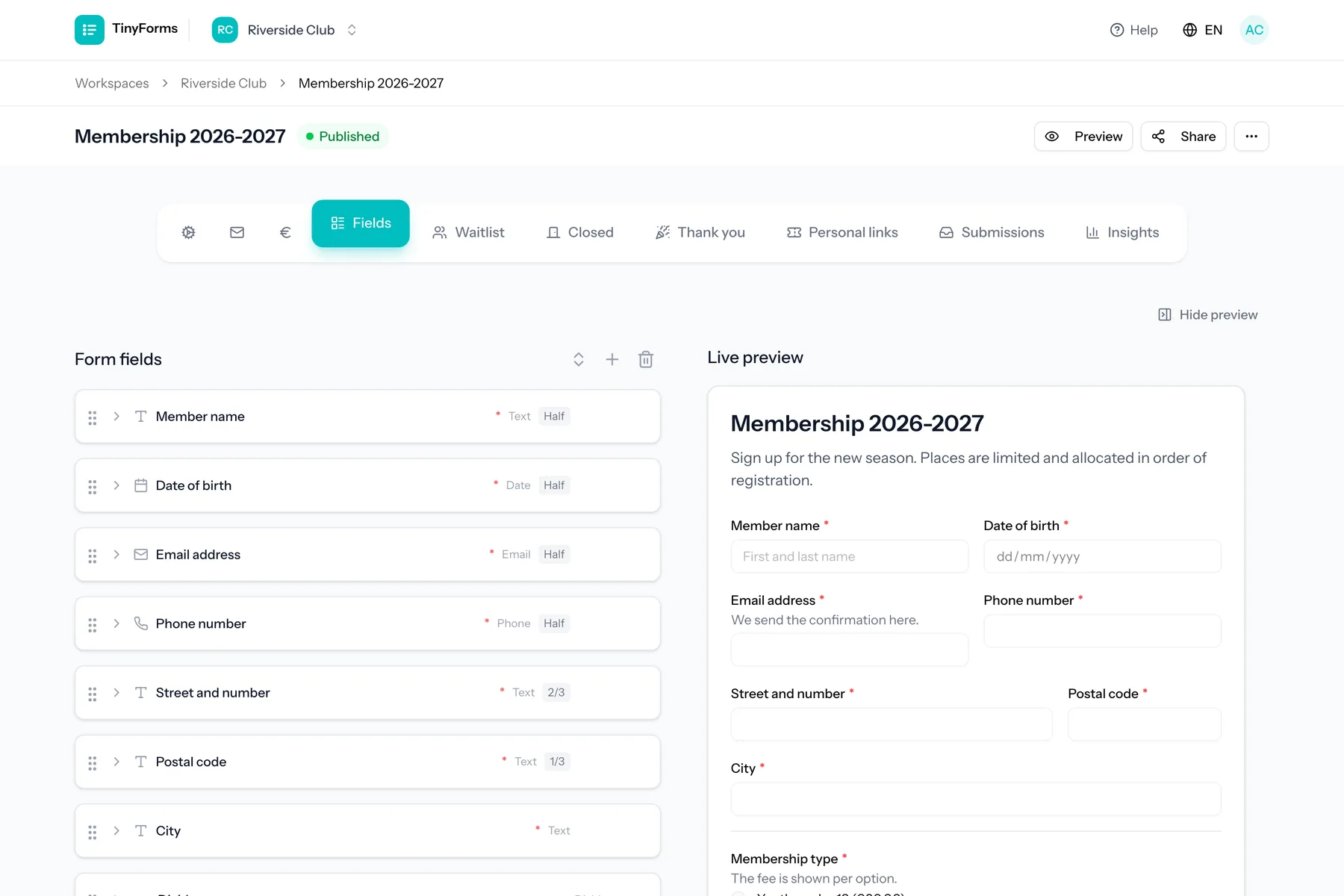
The live preview sits beside the builder and follows every keystroke. It stays in view while you scroll through your fields, and scrolls on its own once the form grows taller than the screen. Hide it with the button above it, or with Cmd + \ (Ctrl + \ on Windows), to give the fields the full width. TinyForms remembers your choice.
The form’s own address Link to this section
Every form answers at an address of its own, made of the workspace and the form: tinyforms.tools/w/your-workspace/autumn-workshop. The last part follows the title while the form has never been published, and you can set it yourself under Settings, General, in the Address field.
Lowercase letters, numbers and hyphens, and free within the workspace. A duplicated form arrives with -copy on the end, which is usually the first thing worth rewriting once it has a title of its own.
Changing it moves the form
The new address answers the moment you save, and the old one stops answering at that same moment, in every link, QR code and printed flyer already carrying it. A published form therefore never moves on its own, however often its title is edited.
Copying fields from another form Link to this section
A question you built somewhere else does not have to be built again. "Copy fields", under the field list, opens the other forms in your workspace. Pick one, tick the questions you want and they are added to the form you are editing. The form you copied from is left exactly as it was.
The copies are yours from that moment on, so renaming or reordering one changes nothing anywhere else. A rule that shows a question only after a certain answer comes along when you also tick the question it points at, and is left out when you do not, so a copy is never hidden by something that did not come with it. You are told before you add them.
The waiting list asks its own questions
A waiting list carries a field set of its own, so it starts empty however many questions your form has. Its "Copy fields" offers your own form as the first source, which is the quickest way to ask the same name and address there. Copied that way, both sets of answers land in one column of your export instead of two columns saying the same thing.
Import and export Link to this section
You can export a form to a .tinyforms file and import it back later or into another workspace. This is handy for reusing a setup or moving a form between accounts.
Removing a field keeps its answers
Deleting a field from a form does not delete what people already answered to it. Those answers stay with their submission and keep showing up, marked as coming from a removed field, in the recap and in every export. Only deleting the submission itself removes them.