Open and close a form Link to this section
You control when a form accepts responses. A form can be open, closed, scheduled to open and close on set dates, or set to a waitlist mode.
- Set a maximum number of submissions.
- Schedule open and close dates.
- Show a custom closed message when responses are not accepted.
- Show a custom thank-you message after submitting.
The closed page follows the limits
The closed tab and the waitlist only appear once the form has a maximum number of submissions or a closing date. Without either the form never closes, so there is nothing to show and the pre-flight check does not ask for a closed message.
Waitlists Link to this section
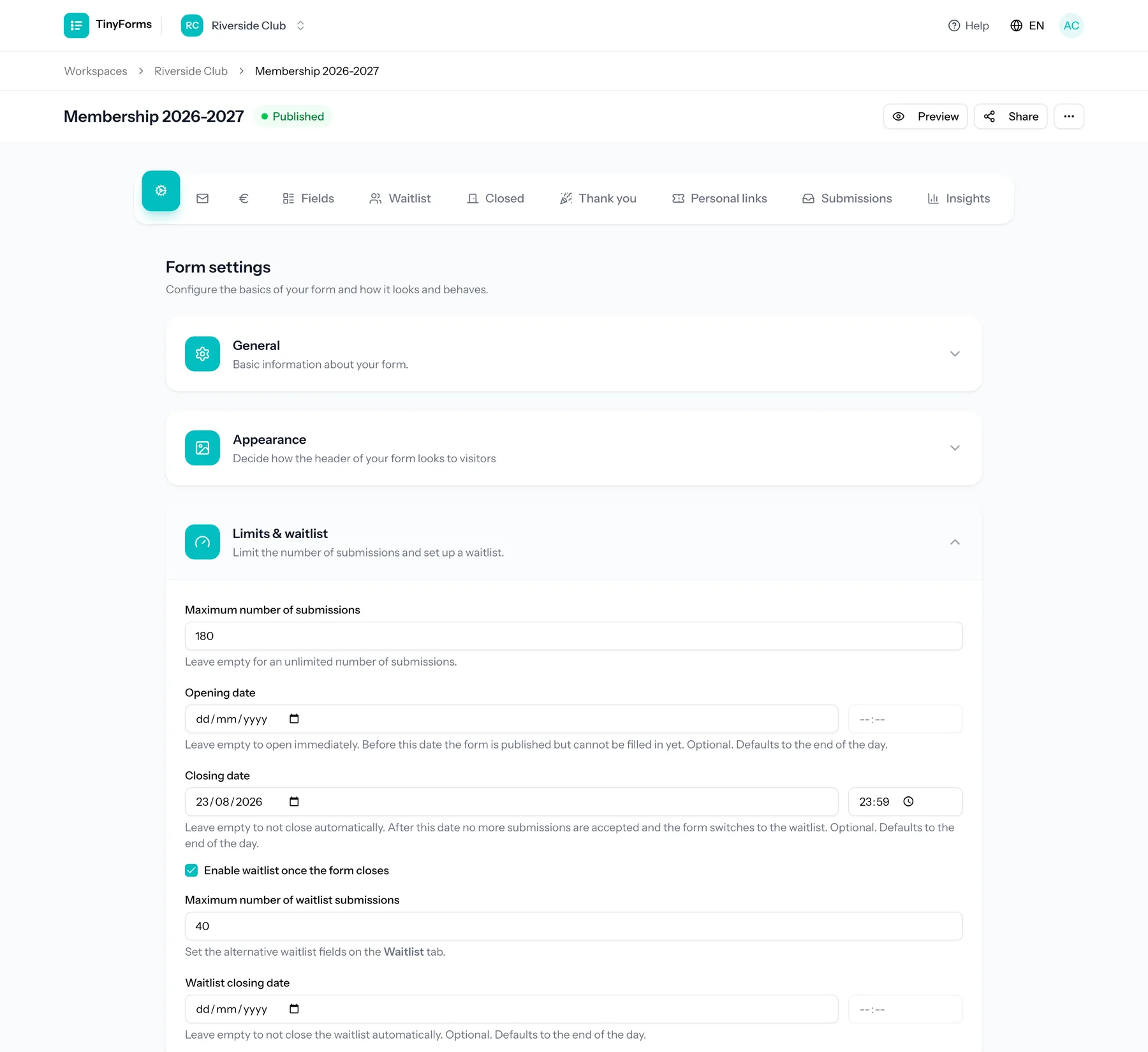
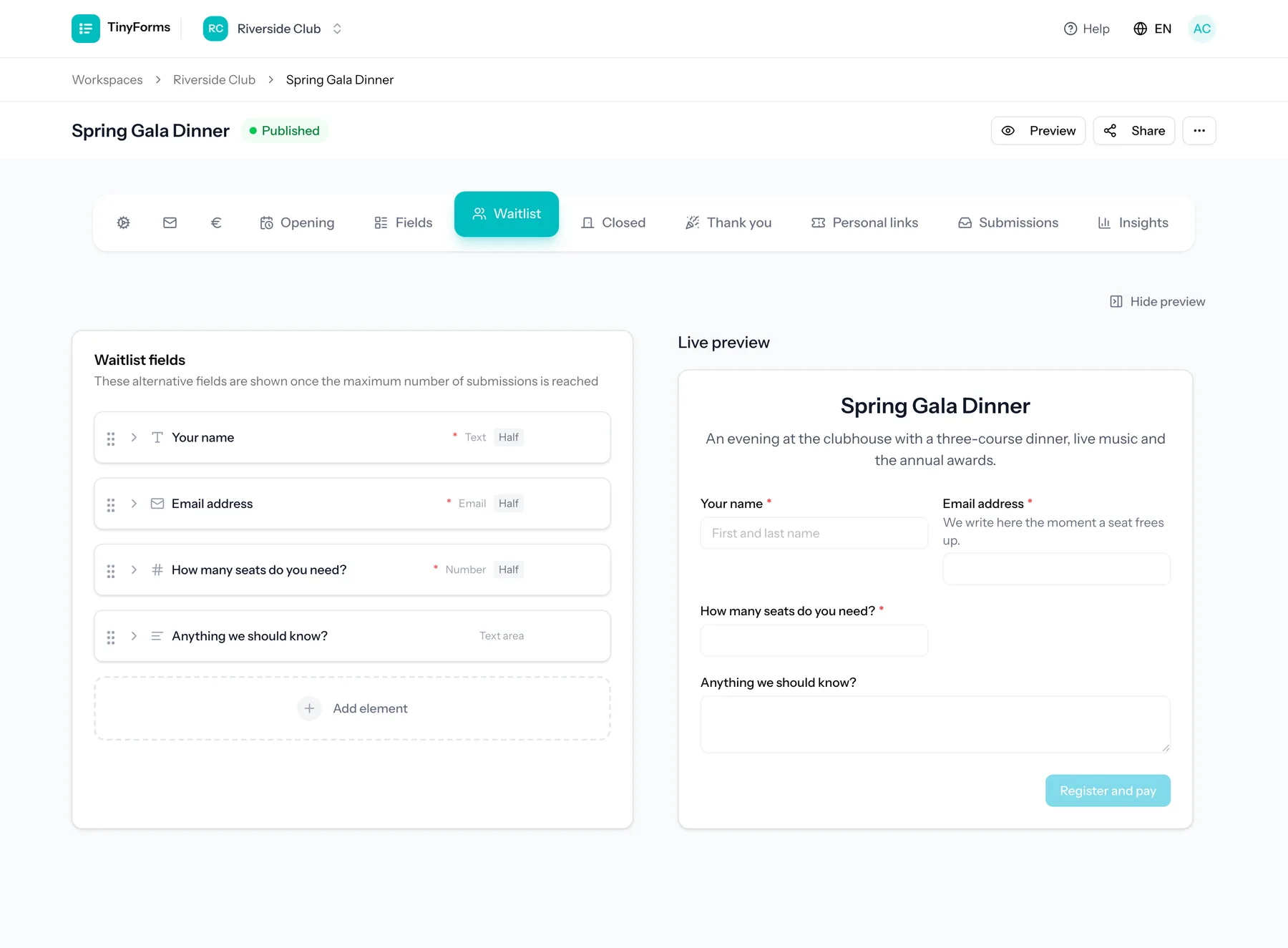
When a form fills up you can keep collecting on a waitlist. The waitlist has its own cap and closing date, and can even use a different set of fields for overflow entries.
Someone on the waitlist does not hold a place yet. When one frees up, open their answer and give it to them: on a form that takes payments by sending them a payment link, otherwise with "Confirm place". From then on the answer counts against the form's maximum like any registration, and no longer against the waitlist's own cap. It stays marked as a waitlist entry, with "Place confirmed" next to it, because it was answered with the waitlist's questions. Confirming a place by hand sends the respondent no email, so let them know yourself.
Per-option limits Link to this section
Options in select, radio and checkbox fields can have their own limits, for example a fixed number of spots per timeslot. You can show a "spots left" counter and send overflow choices to the waitlist.
On a form that takes payments, an answer with a choice on a waiting list pays nothing for now, since it does not have its place yet. A waiting list cannot sit on the same question as the prices. When a place frees up, send that person a payment link from their answer: that confirms their place, and the choice counts against the option's limit from then on. On a form without payments, use "Confirm place" on the answer instead.
Great for events
Per-option limits are ideal for registrations where each session, size or slot has a cap.
Shared places between options Link to this section
A maximum per option counts that option alone. When two options sell the same places, that is not enough: someone booking the whole series and someone booking one evening of it both take a place at that evening, and each option would otherwise only count against itself.
An option can therefore take its places at other options instead of holding a maximum of its own.
Give every date its own places
Open the question's settings, turn on "Limit selections per option", and type the number of places beside each date. Those options now hold the places.
Open the link beside the option that covers them
Every option row has a chain-link button just before the bin. Click it on the option that covers the whole series.
Tick the dates it covers
The option takes one place at each date you tick. The link lights up with how many, and the option's own maximum goes grey: its places now live with the dates.
Both ways of booking now count against the same places: 14 places stay 14 places however people book them. An option that shares stays bookable while every date it points at still has room, and the "spots left" counter shows the tightest one, so a series with one nearly full evening shows the places left at that evening.
An option that shares holds no places of its own, whatever maximum was on it before. It therefore does not appear in the list of choices another option can point at: what borrows cannot be borrowed from. Remove the links again and its own maximum comes back.
Two prices, one set of places
This is what lets you sell a single class at 15 euro and the whole series at 55. Give each option its own price, point the series at the single dates, and the places are shared while the prices stay apart.
One answer per email address Link to this section
A form can accept one answer per email address. Turn it on under Submissions; a second answer from an address that already answered is refused, with the message shown on the email question itself so the person can see what happened.
The address is recognised by the first email question on your form, ignoring capitals, and someone on the waiting list counts as having answered. Without an email question there is nothing to recognise a repeat answer by, and the setting quietly does nothing, which the editor points out.